Free online converter · No sign-up
Image to GIF
Free · one image or thirty · local encoding · no upload
Turn one image into a still GIF, or a stack of images into an animated GIF. The encoder runs in this tab; your files never leave your device.
- 1 image → still GIF
- 2+ images → animation
- Unlimited conversions
- No upload
- No sign-up
- No watermark
Free, unlimited conversions. No account, watermark, or daily quota. Per-GIF technical limits are 30 frames and 30 MB per file — not a paywall.
A GIF is a stack of frames with a delay.
For photos, 480–640 px wide keeps file sizes sane. GIF is limited to 256 colors, so a single photo will look better as JPEG or WebP.
640 px wide · height follows the first image
Keep this tab open. Large frame counts take a few seconds.
What an image to GIF converter does
An image to GIF converter turns one still image, or a sequence of still images, into a GIF file. This converter reads your files from disk, draws them to a canvas, reduces each frame to a GIF palette, and writes the GIF in a Web Worker. There is no upload endpoint.
Use it when a site, chat app, or document requires a GIF. GIF is an old format with a hard 256-color ceiling; for a single photo, JPEG or WebP will usually look better and be smaller. For a short, silent loop or a sticker, GIF is still the safest format.
From images to a GIF
No account, no install, and no upload. Open the converter, add your images, adjust the output, and download the finished GIF. If you want to follow along, use one of the three sample presets in the tool.
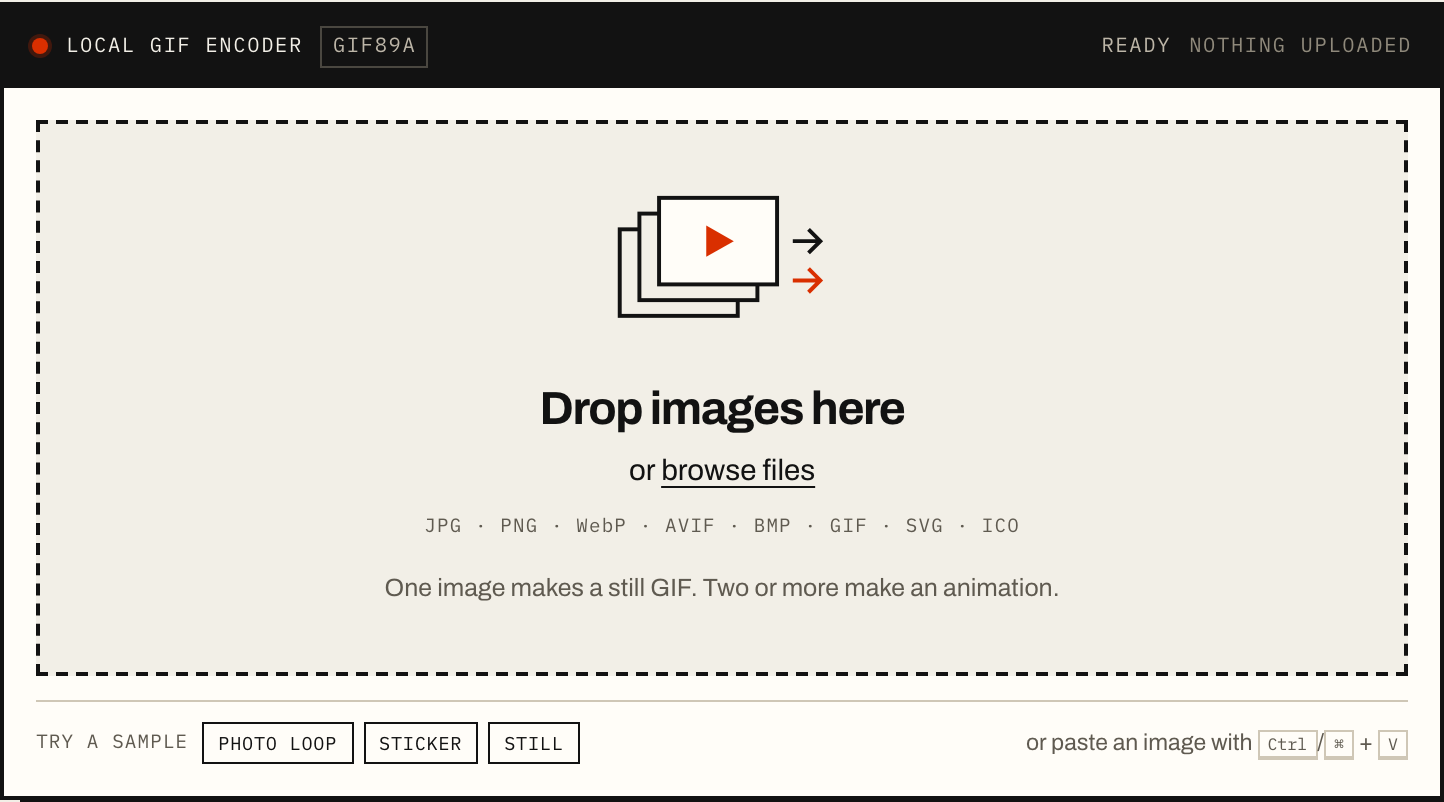
Add your images
Add one image for a still GIF, or several for an animation. Drop files, browse, paste, or load a sample, then reorder the frames.
- Drop files on the dashed box, use Browse files, or paste with Ctrl/⌘ + V.
- One image makes a still GIF; two or more make an animation. Up to 30 frames.
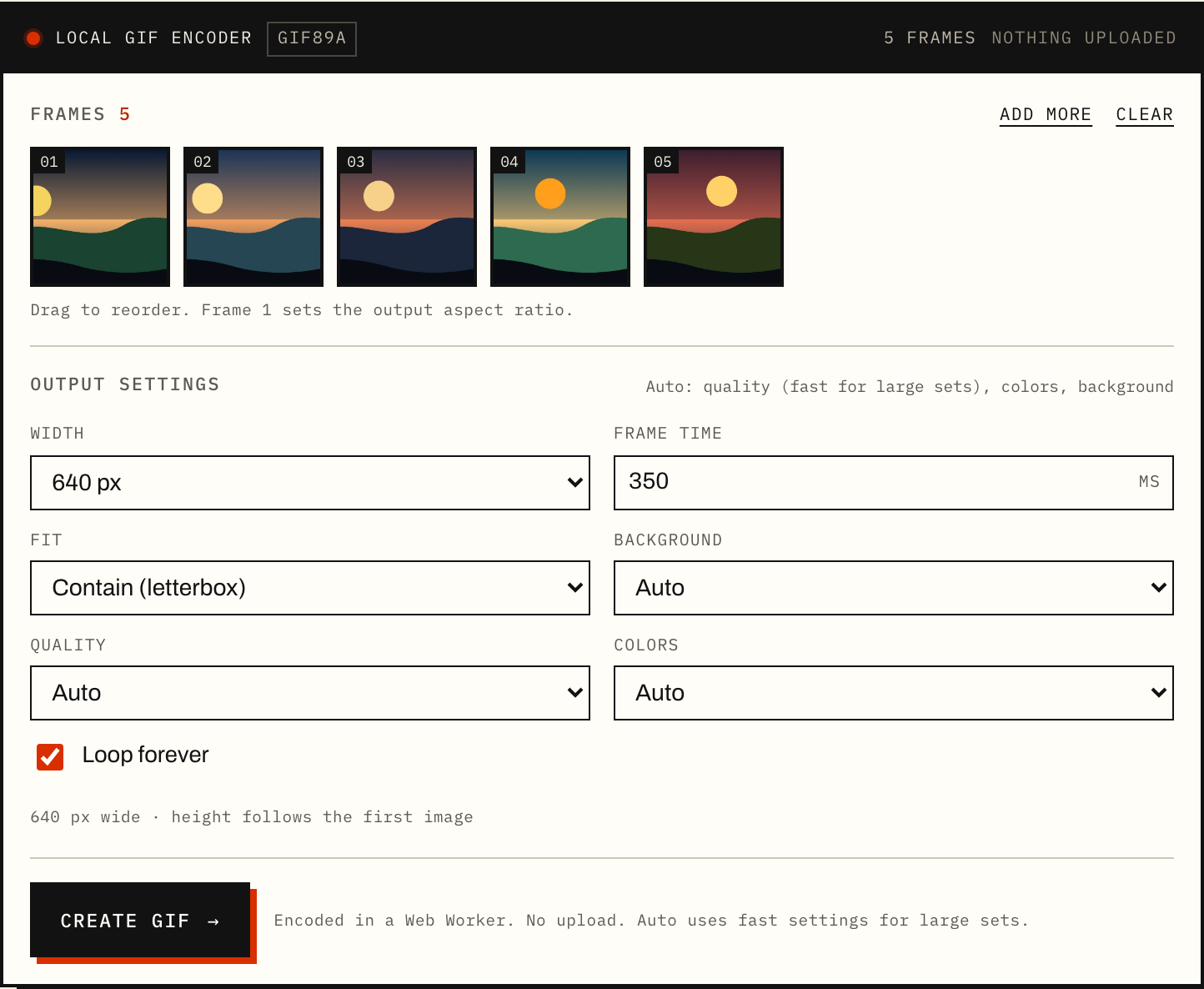
- Drag the thumbnails to reorder. Frame 1 sets the output aspect ratio.
No files handy? Pick Photo loop, Sticker, or Still under the drop zone.
Choose the output
Pick a width, frame time, loop, background, and color quality. Auto uses 256 colors and dithering for photos, and lighter settings for large sets.
- Width: 640 px is a good photo default; 480 px is smaller; 320 px is for stickers.
- Frame time: 500 ms is a comfortable slideshow; 200–300 ms is fast; 700–1000 ms is readable.
- Fit / background: contain adds bars, cover crops; transparent preserves hard PNG edges.
- Quality / colors: Auto for most images; Fast for large sets; Flat for logos.
Leave Auto on unless the result is too large or a flat logo starts to look noisy.
Encode and download
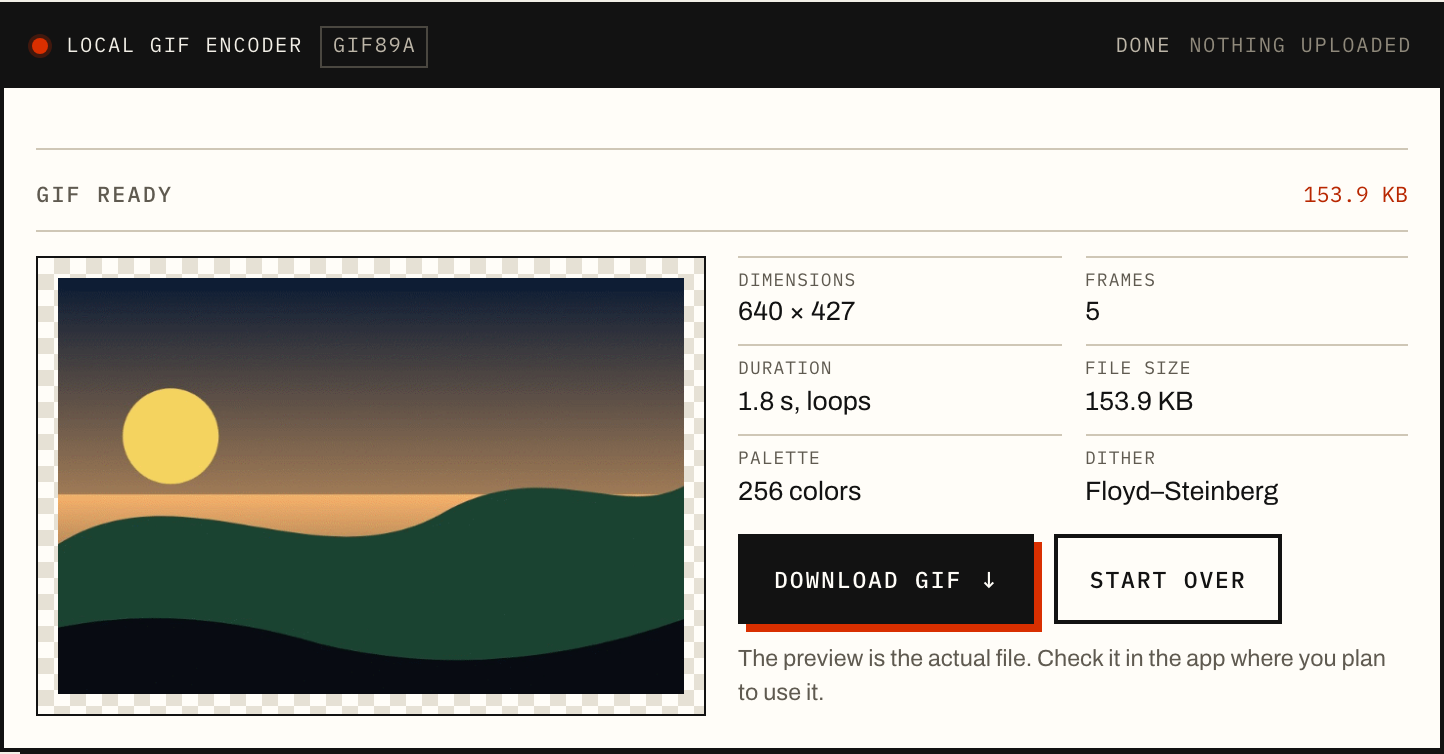
Click Create GIF, check the preview and file size, then download. The GIF is written in a Web Worker on your device; nothing is uploaded.
- Press Create GIF. The status bar shows reading, palette building, dithering, and writing.
- Check the preview and the stats: dimensions, frames, duration, file size, palette, and dithering.
- Press Download GIF; use Start over to change the settings.
If the GIF is over 8 MB, reduce the width first, then remove frames or lower the color count.
Watch the 12-second walkthrough
A real run, not a mockup. The demo loads the photo sample, shows the per-frame hold times, encodes in the browser, and stops at the finished file.
- Add, reorder, duplicate, reverse, or remove frames.
- Set one hold time for all frames, then override any frame below it.
- Press Cancel during encoding if you change your mind; nothing is uploaded.
No audio. Captions are in English. The written steps below cover the same workflow.
What you can make
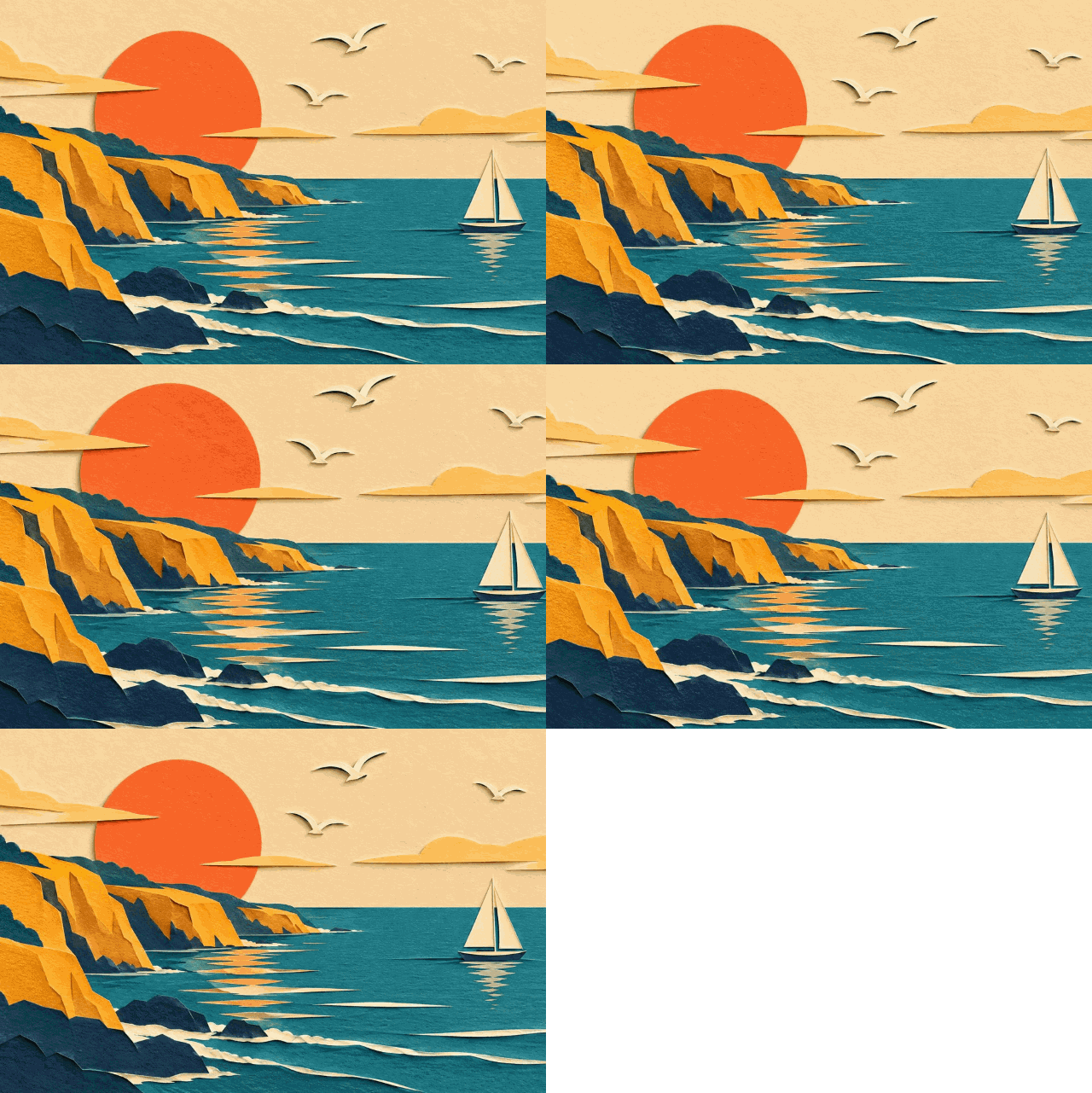
An illustration → a looping GIF
Five crops of a generated paper-cut coast become a camera loop. Load the sample to see how frame order, hold time, width, and palette change the file. The art is AI-generated; the GIF is encoded here.
- 5-frame paper-cut sample, 640×427
- Drag to reorder; set a hold time per frame
- Flat 128-color mode keeps cut-paper edges crisp
PNG → a transparent sticker
A generated daisy sticker keeps its hard outline and alpha. GIF transparency is one fully transparent color, so soft shadows and semi-transparent glows have to be flattened or removed first.
- 3-frame sticker sample, 480×480, 1-bit alpha
- Works with PNG, SVG, and ICO input
- Choose a background color when the platform needs one

One image → one still GIF
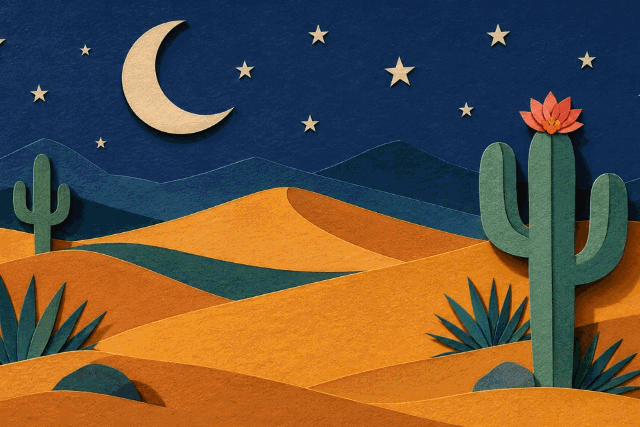
A generated desert-night illustration becomes a valid still GIF. Some upload fields and old apps still require GIF, but a single photo usually looks better and stays smaller as JPEG or WebP.
- Useful for compatibility, not for archival quality
- Same 256-color limit as an animated GIF
- Transparent or solid background
Every GIF above is a real file encoded by this converter, not a mockup. The paper-cut, daisy, and desert source art was generated with GPT-Image-2.6 (via APIMart) in November 2026; the portrait comparison below uses a credited real photo. See the real-photo test.
What 256 colors actually look like
This is a real portrait, not an illustration. The GIF uses 256 colors and Floyd–Steinberg dithering at 640×427. The crops are 2.5× nearest-neighbor enlargements, so the dither pattern is visible instead of being smoothed away by the browser.
- Source: 1200×800 JPG
- GIF: 640×427 · 256 colors · dithered
- Test: Chromium 158, 2026-11-07

Photo: Alexander Shustov on Unsplash, via Lorem Picsum. Used under the Unsplash License. Illustrative sample, not a testimonial. One sample, not a universal benchmark.




Choose your starting point
JPG to GIF
For opaque photos, with notes on the 256-color loss and when to keep the JPEG.
Open the JPG guide → PNGPNG to GIF
For logos and stickers, where hard-edged transparency usually survives and soft shadows do not.
Open the PNG guide → PhotosPhoto to GIF
For 5–15 photos, with frame timing, ordering, and file-size advice for a short loop.
Open the photo guide →What GIF can and cannot do
| Limit | What it means in this tool |
|---|---|
| Colors | Up to 256 colors per frame. Photos are quantized; flat graphics usually survive the reduction. |
| Transparency | 1-bit transparency: a pixel is either fully visible or fully transparent. There is no partial alpha. |
| Frame delay | Stored in hundredths of a second, so the finest step is 10 ms. |
| Looping | GIF89a can loop forever or play once. The loop count is written into the file. |
| Compression | LZW, frame by frame. There is no inter-frame prediction like a video codec. |
| Best for | Stickers, simple graphics, short slideshows, memes, and places that reject video or WebP. |
| Not ideal for | Photographic gradients, long animations, high-resolution footage, and anything that needs partial transparency. |
Understand the trade-offs
All guides are written for this converter and checked against the browser test matrix in the editorial notes. See all guides.
Privacy by architecture
The converter is a static page. Your images are decoded by the browser, drawn to a canvas, and encoded by a worker on the same device. No image data is sent to this site or to a third party.
- No upload endpoint
- No account
- No watermark
- No server-side copy
No account. No quota. No watermark.
The converter is free to use, with no daily or monthly conversion limit. Every GIF is encoded on your device, so there is no server queue and no per-file fee. Convert as many GIFs as you like.
- No account
- No daily limit
- No watermark
- No upload
Per-GIF technical limits — 30 frames, 30 MB per file, 150 MB per selection — protect device memory. They are not a usage quota or an upsell.
Image to GIF FAQ
Are my images uploaded anywhere?
No. The files are read by your browser and encoded in this tab. The site has no upload endpoint, so there is no server-side copy of your images.
Is the converter really free?
Yes. There is no account, payment, watermark, daily quota, or per-conversion fee. Convert as many GIFs as you like. The limits are technical and per GIF: up to 30 images, 30 MB per file, 150 MB per selection, and 60 MP of output.
Is there a daily or monthly limit?
No. There is no usage counter and no paid tier. The limits apply to one GIF, not to how many GIFs you make: up to 30 frames, 30 MB per file, 150 MB per selection, and 60 MP of output.
Do I need an account, email, or install?
No. The converter is a static page that runs in your browser. There is no sign-up, no extension, and no desktop app to install.
Is there a watermark?
No. The downloaded GIF is the file the encoder writes. There is no logo, badge, or attribution frame added.
Why is it free? What is the catch?
The encoding runs on your device, so there is no server-side conversion cost. The site is a static page with page-level analytics and no ad wall or file paywall. There is no account upsell.
Can I make as many GIFs as I want?
Yes, across as many GIFs as you like. A single GIF can combine up to 30 images, which is a memory guardrail rather than a usage limit.
How many images can I combine?
Up to 30 in one GIF. For a slideshow, 5–15 frames is usually smoother and much smaller than 30.
Why is my GIF larger than the source images?
GIF stores up to 256 colors per frame and compresses each frame with LZW, without the inter-frame prediction used by video codecs. A 640 px, 10-frame photo GIF can easily be several megabytes. Reduce the width, the frame count, or the palette to bring it down.
Does GIF support transparent backgrounds?
Yes, but only one fully transparent color. GIF has 1-bit transparency, so soft or semi-transparent edges become hard edges. Use PNG or WebP if you need partial alpha.
Can I convert a single image to GIF?
Yes. One image produces a still GIF. Keep in mind that GIF is limited to 256 colors; for a single photo, JPEG or WebP is usually smaller and more accurate.
Does it work on iPhone?
The converter works in Safari on iOS. If your photo is HEIC and your browser cannot decode it, export the photo as JPEG first. iPhones can set Camera > Formats > Most Compatible to shoot JPEG.
What input formats are supported?
JPG, PNG, WebP, AVIF, BMP, GIF, SVG, and ICO are decoded by the browser. HEIC/HEIF depends on the browser; Safari on Apple devices may decode it. Animated GIF, WebP, and AVIF inputs use the first frame.
Is the output a real GIF89a file?
Yes. The encoder writes GIF89a with a color table, per-frame delays, optional looping, and 1-bit transparency. You can open the downloaded file in any GIF viewer.
Can I use the GIF commercially?
The tool does not add a watermark or claim rights over your images. You are responsible for having the rights to the images you convert and for the rules of the platform where you use the GIF.
Make the GIF here.
No account. No upload. The file is written on your device.